Canva Washi Sticker Journal Template: A Designer's Guide
Understanding the Aesthetic and Personality of Washi Stickers
The Canva Washi Sticker Journal Template isn't just a set of boxes; it is a visual shorthand for tactile, handmade charm. Washi tape, by nature, evokes a sense of nostalgia, warmth, and personal curation. When you translate that into a digital sticker template, you are bridging the gap between analog journaling and digital design. Visually, these templates mimic the semi-translucent, textured look of Japanese paper tape. They often feature soft edges, slightly muted color palettes, and patterns that range from minimalist geometrics to whimsical florals. The "personality" of these templates is inherently approachable and creative. Unlike the sterile, perfect lines of corporate design, washi-style elements suggest that a human hand was involved in the process. This makes them ideal for projects where you want to convey authenticity and care. Whether you are using a handwritten font overlay or sticking to the pre-filled designs, the visual style remains consistent: it is playful yet organized, decorative yet functional. For content creators and bloggers, this aesthetic signals to your audience that you value the small details, transforming a simple planner page into a curated mood board.
Strategic Applications: From Branding to Personal Journaling
While the primary use case is physical planning—specifically for systems like the Happy Planner or vertical journals—the utility of the Canva Washi Sticker Journal Template extends far beyond hobbyist crafting. As a design asset, it serves as a low-cost entry point into packaging design and brand identity. Imagine a small bakery or a candle maker; instead of investing in expensive custom labels immediately, they can use these editable templates to create branded "seal" stickers for their packaging. The 1.5-inch box constraint is actually a benefit here, forcing a focus on essential information or a bold logo mark. This constraint helps in creating a strong visual hierarchy. In digital marketing, these templates are surprisingly effective for social media graphics. A washi sticker element can be used as a "New Arrival" badge on an Instagram post or a "Limited Edition" callout on a website banner. The texture adds depth to flat digital designs, preventing your web design assets from looking too generic. For entrepreneurs, using these templates to create thank-you stickers for customer orders adds a layer of professionalism and gratitude that strengthens client relationships. It is a tactile way to reinforce your brand identity without needing to hire a professional illustrator.
Technical Workflow: Mastering Print & Cut with Canva and Cricut
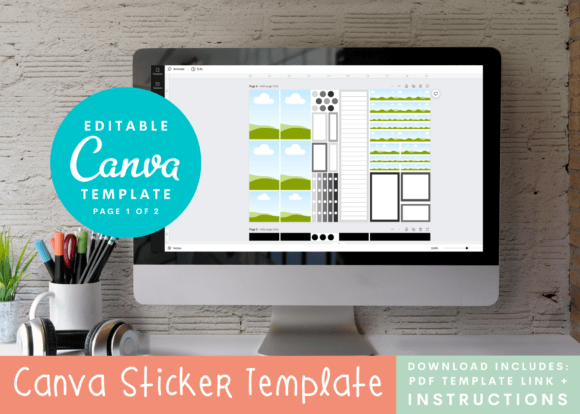
The true power of this system lies in the workflow between Canva and your die-cutting machine, such as a Cricut Explore or Silhouette. The process relies on the "Print & Cut" feature, which requires precision. The Canva Washi Sticker Journal Template is designed with specific bleed areas and registration marks in mind. A crucial aspect of this workflow is understanding that while Canva is a free tool, it requires some familiarity to navigate the layers and export settings correctly. You do not need a Canva Pro account to make this work, which lowers the barrier to entry for hobbyists and students. However, you must be vigilant about your export settings. When you move from Canva to your cutting machine software (like Cricut Design Space), the software reads the sensor lines to determine where to cut. If your printer settings are off, or if the lighting in the room interferes with the machine's optical sensor, the cut will be misaligned. A pro tip for printers is to always do a test cut on a single sheet of standard paper before committing to expensive sticker paper. This ensures that your typeface choices and color gradients are rendering correctly on your specific hardware. The templates are pre-filled to show you the intended layout, but the "editable" nature means you can swap out the display font or adjust the color saturation to match your specific ink levels.
Typography and Font Pairing on a Small Scale
Designing within a 1.5-inch square presents unique typographic challenges. You cannot simply slap a complex serif font or an intricate script font onto the sticker and expect it to be legible once printed and cut. Readability is the priority here. When customizing your Canva Washi Sticker Journal Template, consider the medium. Sticker paper is often glossy or matte vinyl; neither is ideal for tiny, thin strokes. Therefore, a bold sans serif font or a thick, rounded handwritten font works best for headers or key phrases. If you are creating a sticker sheet for editorial design or a mood board, you might pair a bold modern typography style with a simpler secondary text to create contrast. Avoid using more than two typefaces on a single sticker sheet; visual clutter is the enemy of good design, especially on small surfaces. For those using the template for commercial purposes, ensure that the fonts you select have the appropriate licensing for physical product creation. While Canva offers many fonts, double-checking the license for your specific use case is a mark of a professional designer. The goal is to create a creative font combination that feels cohesive with the washi tape aesthetic—playful but legible, decorative but distinct.
Evaluating Project Fit and Customization
Not every project calls for a washi sticker aesthetic. It is important to evaluate whether this style aligns with your specific goals. The Canva Washi Sticker Journal Template excels in environments that value creativity, organization, and personal touch. If you are a publisher creating a digital download for a planner community, these templates offer a high-value, low-effort solution. They allow your users to feel like they are crafting without the mess of glue and scissors. For marketers, the fit depends on the brand voice. A law firm or a fintech startup might find the washi style too casual for their brand identity. However, for a lifestyle brand, a wellness coach, or a stationery shop, it is a perfect match. The customization process is where you make the template your own. Do not just accept the pre-filled designs; use them as a starting point. Adjust the opacity to create a "ghost" washi effect, or layer multiple stickers to create a collage look. The flexibility of the editable link means you can experiment with different design assets until you find the composition that speaks to your audience. Ultimately, this tool is about empowering you to produce physical goods that look professionally designed, bridging the gap between your digital vision and your physical reality.