Mastering Tumbler Sublimation with Canva Design Packs
The Easiest Way to Create Professional Wraps
In the world of custom drinkware, the design is often the hardest part of the equation. You might have a high-quality sublimation printer and the perfect tumblers, but staring at a blank canvas in a design program can be paralyzing. This is where the Tumbler Sublimation Canva Design Pack changes the game. It isn't just a collection of random images; it is a structured workflow solution designed to bridge the gap between your creative ideas and a production-ready file. By providing a PDF containing direct links to Canva frame templates, this pack offers a practical shortcut for creators who need high-quality results without the steep learning curve of complex vector software.
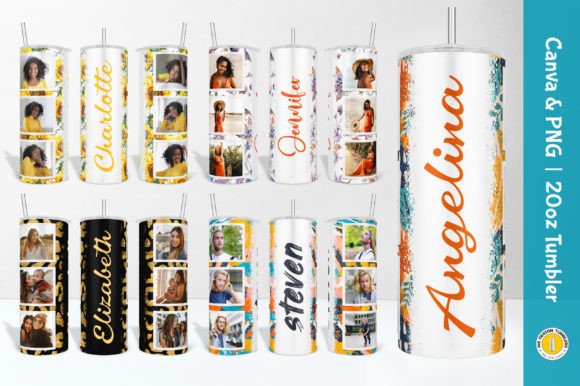
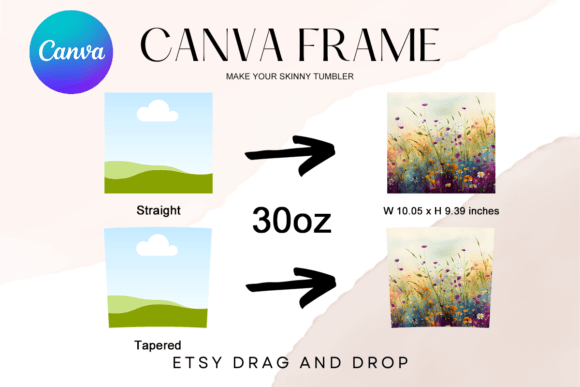
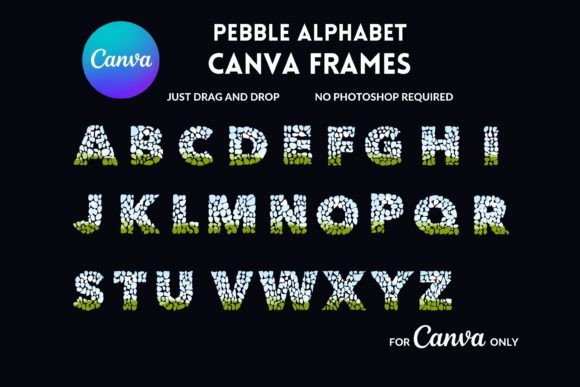
At its core, this design pack is about accessibility and efficiency. The visual appeal of the included frames ranges from sleek and modern to ornate and decorative, catering to a wide variety of personalization niches—whether you are creating bridal party gifts, corporate promotional items, or seasonal holiday drinkware. The "personality" of these templates is one of reliability. They are built to standard tumbler dimensions, removing the guesswork from sizing and curvature. For the entrepreneur or hobbyist, this means less time troubleshooting file formats and more time fulfilling orders. The style is distinctly user-centric; the frames act as digital die-cuts, allowing you to see exactly where your design elements will sit on the curved surface of the tumbler.
Streamlining Your Workflow with Drag-and-Drop Templates
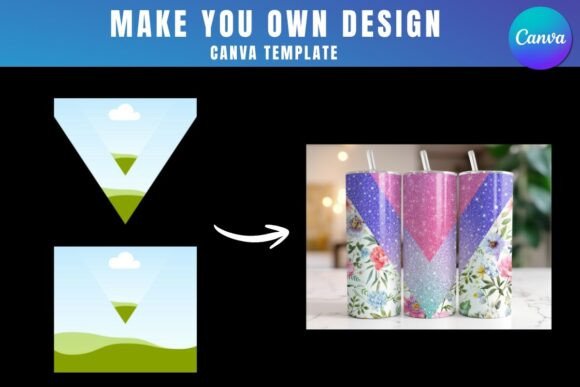
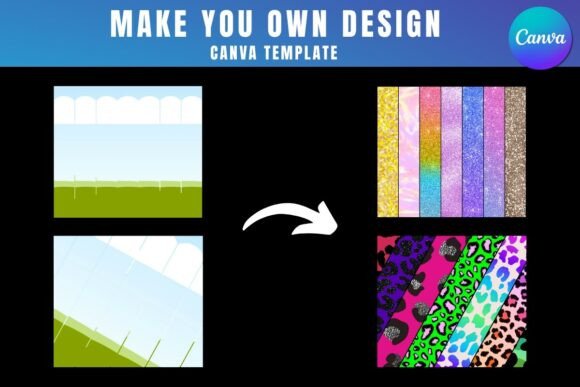
The true strength of the Tumbler Sublimation Canva Design Pack lies in its integration with Canva, a platform familiar to millions. The process is refreshingly simple: you open the provided PDF, click the link to access the templates, and you are immediately ready to design. This approach democratizes packaging design and custom merchandise creation. You do not need to be a vector graphics expert to produce professional-looking social media graphics or physical products. The templates are designed to allow you to easily drag and drop PNG or JPG background images directly into the frames. This feature is invaluable for those who work with stock photography, digital papers, or hand-painted textures.
However, understanding the technical requirements is crucial for a smooth experience. To utilize these design assets, a free Canva account is necessary to open and edit the templates. This lowers the barrier to entry for hobbyists and small business owners testing the waters of the sublimation market. The visual hierarchy of your tumbler design is easily managed within the Canva interface. You can layer text over your backgrounds, adjust opacity, and apply filters, all within the safe zones defined by the frame. This ensures that your brand identity remains consistent and professional, regardless of the complexity of the artwork.
It is important to note the distinction regarding file downloads. While you can design indefinitely with a free account, downloading your finished artwork with a transparent background requires Canva Pro or a higher version. For sublimation, a transparent background is often essential so that the white of the tumbler shows through where intended, rather than a solid white box covering the metal. This is a standard limitation of the Canva platform, not the templates themselves, but it is a vital consideration for your production workflow. The templates are exclusively designed for Canva; they cannot be exported as SVG files for use in Cricut or Silhouette cutting machines, as they are raster-based frame templates intended for sublimation printing rather than vinyl cutting.
Practical Applications for Modern Creators
How does a tool like this influence your output and market perception? For marketers and brand strategists, the ability to quickly mock up branded drinkware allows for rapid prototyping of merchandise. Instead of guessing how a logo will look on a curved surface, you can place it within the frame to test visual hierarchy and readability. The Tumbler Sublimation Canva Design Pack serves as a testing ground. You can experiment with different font pairings—perhaps a bold sans serif font for the main headline and a delicate script font for the accent text—to see which combination offers the best legibility on a metallic surface.
For content creators and bloggers, these templates offer a way to create cohesive merchandise lines that match their digital aesthetic. If your web design relies on specific color palettes and textures, you can easily translate those elements onto physical products using the drag-and-drop functionality. The consistency between your digital presence and physical products strengthens audience recognition and engagement.
Here are a few practical recommendations for getting the most out of this pack:
- Image Quality: Always start with high-resolution JPGs or PNGs. Since sublimation prints at 300 DPI, a pixelated background image will result in a blurry tumbler.
- Layering: Use the frames to create depth. Place a pattern in the background frame, then overlay a separate PNG of a focal image (like a floral arrangement or a mascot) on top.
- Text Legibility: When adding text, ensure there is enough contrast. If your background image is busy, consider adding a semi-transparent shape behind your text to make it pop.
- Commercial Licensing: While the templates facilitate the design, always ensure that the images and fonts you drop into them are licensed for commercial use if you intend to sell the final physical product.
Ultimately, this digital product is not just about the frames; it is about the efficiency it brings to your creative business. It transforms the sublimation design process from a technical hurdle into a fluid, creative exercise. Whether you are a seasoned graphic designer looking to speed up production or a crafter just starting out, utilizing structured templates is a smart strategy for maintaining quality and consistency in your creative font and image projects.